# Create an Apple Developers Account

{% hint style="danger" %}
**WARNING:** Please follow the steps listed in this article carefully! Completing this correctly the first time will save you time in the future. If you have any concerns please contact your Event Consultant directly.&#x20;
{% endhint %}

## How to create an account <a href="#instructions" id="instructions"></a>

{% hint style="danger" %}
**WARNING:** Please ensure the Apple Developer Account is an **ORGANISATION** account and **not**  an individual one (if you have any doubts give us a call).&#x20;

You will also need an Apple device to be able to complete this process.
{% endhint %}

1. Create your Apple ID: [**Create Apple ID**](https://appleid.apple.com/account)\
   (Once you have submitted the form you will be asked to verify your account by email & phone code)

   <figure><img src="/files/SS7Z3a47NcBnCCaMfOV0" alt=""><figcaption><p>New Apple ID Created<br></p></figcaption></figure>
2. Switch on two-factor authentication on your Apple device (iphone, ipad or ipod touch).\
   [(How to setup two-factor authentication)](https://support.apple.com/en-gb/HT204915)\
   \
   \ <br>

   <figure><img src="/files/p9oHigUkYEnj9r16TUm3" alt=""><figcaption></figcaption></figure>

   \ <mark style="color:red;">**WARNING**</mark>**: You must enroll as an ORGANISATION** **and not an Individual this cannot be reversed easily and may result in your Branded app not being published.**\
   \
   \ <br>
3. Enroll to Apple Developer Program as an Organisation: [**Enroll here**](https://developer.apple.com/programs/enroll/)\
   (Please read all the information listed on the Apple Developer Program enrollment page)<br>

   <figure><img src="/files/lUbubLHfVr81BV6uph8j" alt=""><figcaption></figcaption></figure>

   Once you have read the information click <img src="/files/GMElpiL48TqkEGTqx3qg" alt="https://developer.apple.com/enroll/" data-size="line">at the bottom of the page and follow the steps promted by Apple.\
   \
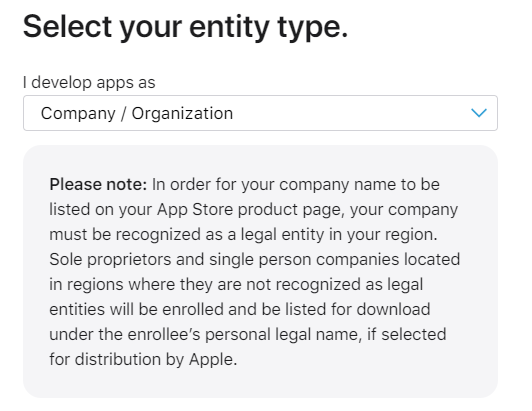
   **Important:** When selecting your **'Entity type'** choose **Company / Organisation**\
   (If this type is not selected we cannot develop the app)\
   \ <img src="/files/I14HOBC4MVqlIDu1CCxS" alt="" data-size="original"><br>
&#x20;4\. Continue and complete the steps as prompted (You'll need your Apple ID and D-U-N-S number. If you don't know your D-U-N-S number, request it [here](https://developer.apple.com/enroll/duns-lookup/#!/search)).

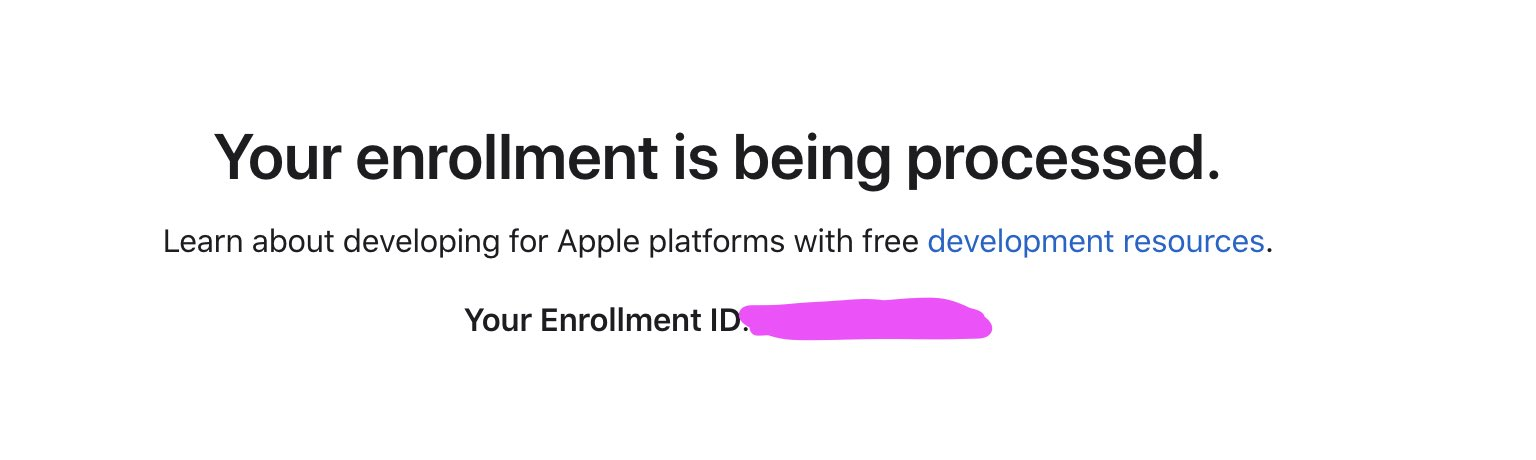
&#x20;5\. Payment of Apple Developer Account membership: Once you have completed the Apple Steps and you have paid the memberhip fee you should recieve the message '**Your enrollment is being processed**' your account will now be reviewed by Apple (potentially taking a few days).<br>

<figure><img src="/files/yziHmdN3lyrSdBhViOs1" alt=""><figcaption></figcaption></figure>

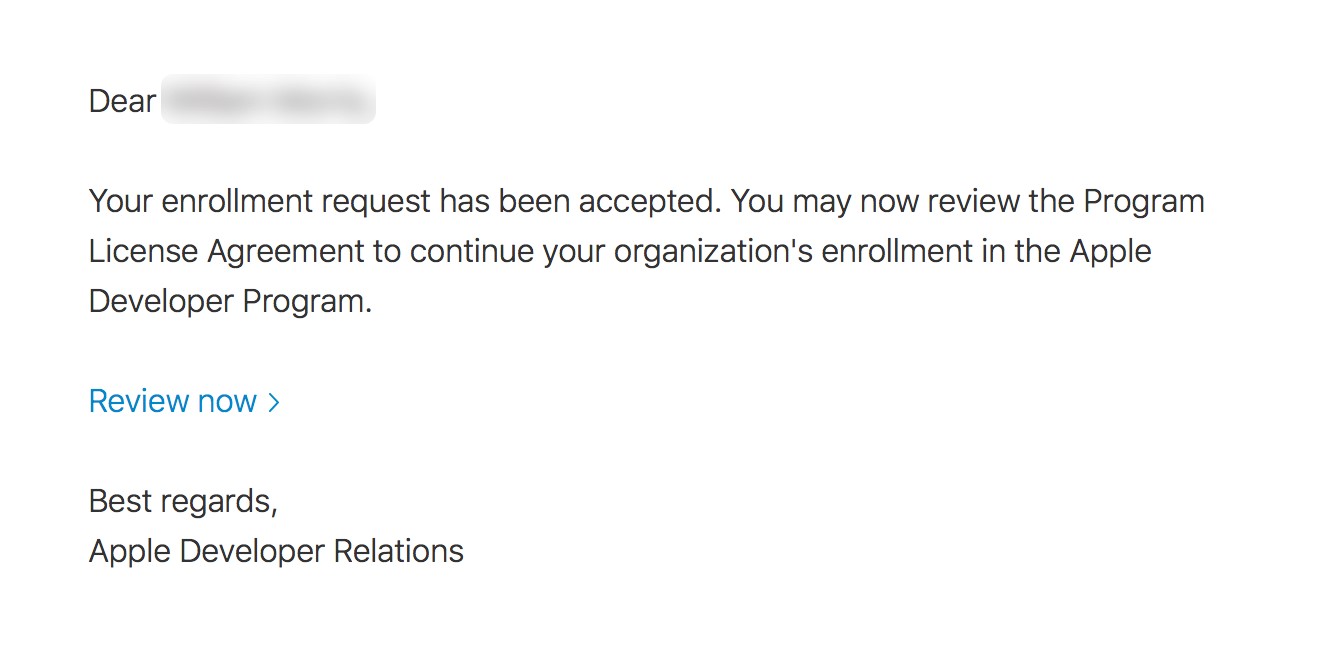
&#x20;6\. Once your Apple developer account has been review you will recieve email confirmation.

<figure><img src="/files/2YFDtoYsJcSPSyFHKgYa" alt=""><figcaption></figcaption></figure>

{% hint style="success" %}
As soon as your account has been approved, we need to be provided with access so that we can publish the app on your companies behalf. Granting access only takes 5 minutes and you can read how to grant us access [here](/in-person-event/application/granting-account-access.md).
{% endhint %}

<table data-view="cards"><thead><tr><th></th><th data-hidden data-card-cover data-type="files"></th><th data-hidden data-card-target data-type="content-ref"></th></tr></thead><tbody><tr><td><strong>Step 3: Grant Access to Apple Developer Account</strong></td><td><a href="/files/wTpNVmPUxXiDngd2kXeo">/files/wTpNVmPUxXiDngd2kXeo</a></td><td><a href="/pages/-MbqDRhwRWcnno8qxrIW">/pages/-MbqDRhwRWcnno8qxrIW</a></td></tr></tbody></table>


---

# Agent Instructions: Querying This Documentation

If you need additional information that is not directly available in this page, you can query the documentation dynamically by asking a question.

Perform an HTTP GET request on the current page URL with the `ask` query parameter:

```
GET https://knowledge-base.letsgetdigital.com/in-person-event/application/apple-developers-account.md?ask=<question>
```

The question should be specific, self-contained, and written in natural language.
The response will contain a direct answer to the question and relevant excerpts and sources from the documentation.

Use this mechanism when the answer is not explicitly present in the current page, you need clarification or additional context, or you want to retrieve related documentation sections.